- xk1282026-08-07
这篇只记录我从第二版配置后变化,第一次安装 Pi 的佬友可以先看前两版。
Pi 从零安装到入门配置:Windows 实战教程 - 开发调优 - LINUX DO
Pi Windows 工作流第二版:从第一版配置升级到现在有哪些改变? - 开发调优 - LINUX DO
package 和 Pi 本体更新很快,升级前仍建议先看各自的 release 和 README。
本版编写基线:Pi
0.84.1变动范围与原因
继第二版发布继续使用一段时间后,又发现了一些实际影响工作流的问题:
- 压缩扩展会同时处理同一个 hook
- LSP 的默认格式化选择和项目不一致,且 LSP 过重拖慢 Pi 加载与 Agent 工作
- Plan 和 subagents协调下的普通子代理角色又可能拥有写入能力的问题
- MCP 还经历了从其他 CLI 迁移、连接生命周期误判和 SDK 版本不兼容
于是乎借着 Pi 0.84.0 更新,继续记录一波现在的配置,没有被本版提到的包继续沿用第二版配置。
上下文与压缩
移除了
pi-observational-memory和nano-context。前者
pi-observational-memory与pi-ultra-compact都注册session_before_compact,后加载的自定义压缩结果可能覆盖前一个结果;而且从其他佬友体验和设计上来说它偏向长期记忆会导致上下文污染,衡量过后我还是用pi-ultra-compact吧,毕竟我的工作流里不需要长期记忆,只需要一个上下文压缩。后者
nano-context只提供额外的 context segmented bar,Pi 0.84 的 fullscreen 和现有 Footer 已经能显示我需要的状态,因此一并移除。最终我现在的 Pi 最终保留了三层职责。
- Pi 原生 compaction:决定何时压缩以及为输出保留多少上下文
-
context-mode负责把大段工具结果放到可回读的外部索引-
pi-ultra-compact提供/ultracompact和分级预压缩。这样每个组件处理不同的数据,不再让两个 memory 扩展同时改写同一份压缩结果。
Pi 0.84 的 TUI 与 Markdown
原生能力
Pi 0.84 完善了 TUI 与 Markdown的原生能力,相关设置:```
{
"tuiMode": "fullscreen",
"fullscreenScrollbar": "auto",
"markdown": {
"mermaid": "final",
"codeBlockIndent": " "
}
}
```fullscreen 现在由 Pi 负责布局、滚动条和固定位置组件,代码块使用两个空格的缩进。同时 Pi 0.84 修复了 Windows 下
Shift+Enter的检测,支持最终消息中的 Mermaid 和终端内 LaTeX,并增加了Ctrl+X:普通 transcript 复制最近一条 assistant 消息,/tree复制当前选中的消息。经过我实测,Pi 之前频繁出现反复滚动和终端跳顶 BUG ,随着 0.84 的完善终于解决了
键位
顺手分享一下我的快捷键设置:
当前 keybindings.json```
{
"tui.editor.cursorUp": ["up", "ctrl+p", "alt+k"],
"tui.editor.cursorDown": ["down", "ctrl+n", "alt+j"],
"tui.editor.cursorLeft": ["left", "ctrl+b", "alt+h"],
"tui.editor.cursorRight": ["right", "ctrl+f", "alt+l"],
"tui.editor.cursorWordLeft": ["alt+left", "alt+b"],
"tui.editor.cursorWordRight": ["alt+right", "alt+f", "alt+w"],
"tui.editor.deleteCharForward": ["delete", "ctrl+d"],
"tui.editor.deleteCharBackward": ["backspace", "ctrl+h"],
"tui.editor.deleteWordBackward": ["ctrl+w", "alt+backspace"],
"tui.input.newLine": ["shift+enter", "ctrl+j", "alt+enter"]
}
```Zentui 和 tool display 的边界主题这方面,每个人的审美不一样我就不放了,主要说一下我遇到的一些坑:
pi-tool-display和pi-di18n都会默认注册内置工具名,直接同时加载会报Tool read/edit/write/bash conflicts。最终我跟 TUI、主题、美化相关的配置分层:
-
pi-di18n保留read/edit/write/bash的中文化- tool-display 只接管
grep/find/ls和摘要展示。-
pi-zentui负责 editor、用户消息、Starship Footer、颜色、图标和扩展状态,- Pi 负责布局、滚动条和固定位置组件。
-
pi-markdown-preview提供浏览器、PDF 和独立预览。LSP 从 pi-lens 换成 pi-lsp
我最初安装
pi-lens,是想让 Pi 的 Python 诊断和 VS Code 使用同一套 Black/Pyright 习惯。实际使用时,它的 LSP 会在 Pyright/Jedi 间回退,formatter 选择偏向 Ruff,Black 的发现路径也受项目虚拟环境限制我能在项目配置里调整格式化时机,却不能可靠地把全局服务器和 formatter 优先级改成自己的组合
而且用下来发现
pi-lens还负责格式化行为,导致整个 Pi 和 agents 工作流程过程中非常的慢,包括加载慢,而且 agents 还会左右脑互博,我要求用最小代码修改原则修改的时候,它会把自动格式化行为当成不必要变动硬要去掉,然后反复陷入死循环。最终我改用
@narumitw/pi-lsp。pi-lsp的职责是按文件扩展名路由语言服务器,提供lsp_diagnostics和lsp_fix;它已经移除lsp_format,所以格式化仍由项目的 Black、Prettier 等命令负责。配置优先级是受信任项目的.pi/pi-lsp.json、用户级~/.pi/agent/pi-lsp.json、内置默认值;显式配置会替换内置 server map,新增语言时要在同一个文件里补齐需要的 server。当前 pi-lsp.json```
{
"timeout": 30000,
"servers": {
"ruff": {
"command": ["ruff", "server"],
"extensions": [".py", ".pyi"],
"skipDirectories": [
".git",
".mypy_cache",
".pytest_cache",
".ruff_cache",
".venv",
"__pycache__",
"node_modules"
]
}
}
}
```MCP 更新最近 MCP
2026-07-28文档 更新了 MCP 协议配置,正好借着 MCP 协议更新把相关的MCP/配置/插件更新一下,给 Context7 和 DeepWiki 这两个 HTTP server 增加protocolVersion: "auto",让 adapter 与服务协商版本;我是不喜欢用需要自己注册 key 的服务的,最后保留七个不需要我填写 key 的 MCP:名称 |
类型 |
生命周期 |
我用它做什么 |sequential-thinking|
stdio |
eager |
因果分析和方案比较 |context7-1|
Streamable HTTP |
eager |
查询官方库/API 文档 |mcp-deepwiki|
Streamable HTTP |
eager |
阅读 GitHub 仓库资料 |mcp-server-time|
stdio |
eager |
时间和时区换算 |shrimp-task-manager|
stdio |
eager |
跟踪有依赖的长任务 |playwright|
stdio |
lazy |
浏览器行为和页面证据 |chrome-devtools-mcp|
stdio |
lazy |
Chrome 网络、性能和 trace |Plan Mode
Plan 的生命周期
Plan Mode 这个插件最近的更新迭代变化也比较大值得单独说一下。
现在进入
/plan后,Pi 会根据当前工具选择建立一个受限父会话。这个阶段可以读取文件、搜索内容,并执行通过 Plan 自己命令检查的 Bash;完成plan_mode_complete后,Pi 才显示实施菜单。选择 Implement here 或 Start fresh and implement 会关闭 Plan,再恢复完整工具。当前我的 Plan 配置
当前 pi-plan-mode.json```
{
"thinkingLevel": "inherit",
"defaultPlanTools": [
"read",
"bash",
"grep",
"find",
"ls",
"subagent"
],
"implementationPlanRetention": "clear-after-first-run",
"defaultPlanExportPath": "PLAN.md",
"safeSubcommands": {
"git": [
"status",
"log",
"diff",
"show",
"branch",
"remote",
"ls-files",
"grep",
"rev-parse",
"blame",
"describe",
"merge-base",
"ls-tree",
"cat-file"
]
}
}
``我保留bash是为了在 Plan 里查看 Git 历史和项目状态,但safeSubcommands.git只增补经过验证的 Git 子命令,不是任意 shell 白名单。权限扩展里的bash.*: allow` 只影响普通会话的询问,Plan 仍会先做自己的 fail-closed 命令解析。复合命令、重定向、命令替换、后台任务、外部 pager、textconv 和 filter 仍可能被拒绝。只读子代理:角色选择和能力上限
我一开始只在 Plan 工具里勾选
subagent,再用提示词要求子代理“只读”。这不能改变普通角色的工具面,worker仍然可能带有bash、edit或write。把全局权限改成ask或禁用worker又会破坏普通开发,所以我把限制放在 Plan 会话,而不是全局。第二版曾使用
allowedPlanSubagents。它确实能限制角色名,但 Plan 插件需要理解pi-subagents的 action、并行任务和管理命令;{"action":"list"}这类不含角色名的只读调用也会在到达 subagents 前被拒绝。上游后来移除了这条 schema-specific 逻辑。当前使用@narumitw/pi-plan-mode,不再支持配置allowedPlanSubagents只负责自己的工具和 Git 校验,而pi-subagents也只负责角色发现与执行。我补了一层本地
plan-subagent-ceilingbridge,位置是用户扩展目录下的extensions/plan-subagent-ceiling/index.ts。它通过 Pi 的getAgentDir()找到用户包目录,用createRequire和jiti动态加载pi-subagents/capability-ceiling,不改node_modules,也不解析subagent的action字段。进入 Plan 时,它向当前 session 注册三个允许角色和四个允许工具;Plan 工具不再 active 时或 session 关闭时调用dispose()。如果 bridge 无法加载,只有 Plan 下的subagent调用被阻止,普通会话的worker不受影响。三个角色的 frontmatter 是第二层边界:
tools只有read, grep, find, ls,extensions为空,inheritSkills为false,并用 agent 级permission默认拒绝其他工具。denyExtensions: true使它们不加载 MCP 和普通扩展。acceptanceRole: read-only只描述交付语义,实际能力由工具白名单和 ceiling 决定。pi-subagents新版不接受permission.bash,Bash 策略交给 Plan limited-shell 和 Pi guard;三个角色没有 Bash 工具,因此不再写无效的bash: deny。权限依旧使用
@gotgenes/pi-permission-system控制。普通角色和 Plan 角色
普通角色保留完整工作流:
worker可以bash/edit/write,其他常规角色按任务使用读工具和必要的 Bash。Plan 角色只用于当前父会话的证据收集:角色 |
模型/思考 |
工具 |
用途 |plan-scout|
Luna / low |read, grep, find, ls|
快速盘点入口、调用链和事实源 |plan-researcher|
Luna / medium |read, grep, find, ls|
跨文件技术调查,默认超时 15 分钟 |plan-reviewer|
Terra / medium |read, grep, find, ls|
对完整方案或完整 diff 做一次集中复查 |AGENTS 变动
在写第二版教程后,许多佬友说
AGENTS.md现在的 模型能力很强了不需要约束那么多,一百行左右就行了。实测下来只能说大体来说确实如此,实际上一些约束在 Windows 上还是存在必要的,不然 GPT 该被 powershell 绊还是绊。
我实测下来有两点还是必须仔细写清楚 GPT 才会遵循,一个是静态核查,不写清楚老爱自己给你写 test 脚本,运行代码测试。一个就是 powershell用法。
最终经过我的实测,现在我的
AGENTS.md也压缩到200行以内了,相较之前减少了很多了。AGENTS.md.txt (15.3 KB)
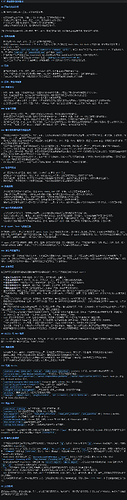
本轮相关配置一览
subagent/config.json```
{
"toolDescriptionMode": "compact",
"asyncByDefault": true,
"inlineToolDisplay": "summary",
"waitTool": {
"enabled": true
},
"forceTopLevelAsync": false,
"globalConcurrencyLimit": 6,
"parallel": {
"maxTasks": 6,
"concurrency": 6
},
"maxSubagentSpawnsPerSession": 24,
"maxSubagentDepth": 1,
"completionBatch": {
"enabled": true,
"debounceMs": 150,
"maxWaitMs": 1000,
"stragglerDebounceMs": 75,
"stragglerMaxWaitMs": 400,
"stragglerWindowMs": 2000
},
"worktreeBaseDir": "<ABSOLUTE_WINDOWS_WORKTREE_DIR>"
}
```asyncByDefault是为了解决长时间 foreground 子代理阻塞父会话;它不意味着每个任务都要并发。完整链路内连续工作由主线程完成,默认只在链路结束后做一次集中只读审查。跨文件研究若预计超过两分钟,父调用要显式传timeoutMs: 900000;调用方传入的值会覆盖角色 frontmatter 的默认值。Plan 专用 agent 的共同 frontmatter```
name: <plan-scout|plan-researcher|plan-reviewer>
description: Read-only investigation or review for a planning session.
tools: read, grep, find, ls
extensions:
model: <openai/gpt-5.6-luna|openai/gpt-5.6-terra>
thinking: <low|medium>
systemPromptMode: replace
inheritProjectContext: true
inheritSkills: false
defaultContext: fresh
acceptanceRole: read-only
permission:
"*": deny
read: allow
grep: allow
find: allow
ls: allow
edit: deny
write: deny
mcp: deny
skill: deny
external_directory: deny
special: deny```
plan-scout使用 Luna/low,plan-researcher使用 Luna/medium,plan-reviewer使用 Terra/medium;只有plan-researcher当前显式保留timeoutMs: 900000,其余角色可按需要继承默认值。tools白名单和 capability ceiling 才是实际边界;acceptanceRole只描述完成语义。当前pi-subagents不支持permission.bash,不要再添加该字段。plan-subagent-ceiling bridge 的适配扩展```
import { createRequire } from "node:module";
import { join } from "node:path";
import { pathToFileURL } from "node:url";
import { getAgentDir, type ExtensionAPI, type ExtensionContext } from "@earendil-works/pi-coding-agent";const PLAN_TOOLS = new Set(["plan_mode_question", "plan_mode_complete"]);
const ALLOWED_AGENTS = ["plan-scout", "plan-researcher", "plan-reviewer"];
const ALLOWED_TOOLS = ["read", "grep", "find", "ls"];type CeilingHandle = { dispose(): void };
type RegisterCapabilityCeiling = (options: {
sessionId: string;
source: string;
ceiling: {
allowedAgents: string[];
allowedTools: string[];
denyExtensions: boolean;
};
}) => CeilingHandle;type CapabilityCeilingModule = {
registerSubagentCapabilityCeiling?: RegisterCapabilityCeiling;
};type JitiLoader = {
import(specifier: string): Promise<unknown>;
};let subagentPackageLoader: JitiLoader | undefined;
async function loadCapabilityCeilingModule(): Promise<CapabilityCeilingModule> {
if (!subagentPackageLoader) {
const agentDir = getAgentDir();
const requireFromAgentPackages = createRequire(join(agentDir, "npm", "package.json"));
const { createJiti } = requireFromAgentPackages("jiti") as {
createJiti?: (id: string, options?: { moduleCache?: boolean }) => JitiLoader;
};
if (typeof createJiti !== "function") {
throw new Error("Pi user package loader is unavailable");
}
subagentPackageLoader = createJiti(
pathToFileURL(join(agentDir, "npm", "package.json")).href,
{ moduleCache: false },
);
}
return (await subagentPackageLoader.import("pi-subagents/capability-ceiling")) as CapabilityCeilingModule;
}export default function planSubagentCeiling(pi: ExtensionAPI) {
let handle: CeilingHandle | undefined;
let sessionId: string | undefined;
let syncPromise: Promise<boolean> | undefined;const isPlanActive = () => {
try {
return pi.getActiveTools().some((tool) => PLAN_TOOLS.has(tool));
} catch {
return false;
}
};const clear = () => {
handle?.dispose();
handle = undefined;
sessionId = undefined;
};const sync = (ctx: ExtensionContext): Promise<boolean> => {
if (syncPromise) return syncPromise;
const current = (async () => {
if (!isPlanActive()) {
clear();
return true;
}const currentSessionId = ctx.sessionManager.getSessionId();
if (!currentSessionId) return false;
if (handle && sessionId === currentSessionId) return true;clear();
try {
const module = await loadCapabilityCeilingModule();
if (typeof module.registerSubagentCapabilityCeiling !== "function") return false;
handle = module.registerSubagentCapabilityCeiling({
sessionId: currentSessionId,
source: "local-plan-subagent-ceiling",
ceiling: {
allowedAgents: ALLOWED_AGENTS,
allowedTools: ALLOWED_TOOLS,
denyExtensions: true,
},
});
sessionId = currentSessionId;
return true;
} catch {
clear();
return false;
}
})();
syncPromise = current;
return current.finally(() => {
if (syncPromise === current) syncPromise = undefined;
});
};pi.on("session_start", async (_event, ctx) => {
await sync(ctx);
});pi.on("before_agent_start", async (_event, ctx) => {
await sync(ctx);
});pi.on("tool_call", async (event, ctx) => {
if (event.toolName !== "subagent") return;
if (!isPlanActive()) {
await sync(ctx);
return;
}
if (await sync(ctx)) return;
return {
block: true,
reason:
"Plan-mode subagent delegation is blocked because the local capability-ceiling bridge could not load pi-subagents/capability-ceiling.",
};
});pi.on("session_shutdown", () => {
clear();
});
}
``我实际的loadWithJiti使用getAgentDir()、createRequire(<agentDir>/npm/package.json)和用户包目录中的jiti,再加载pi-subagents/capability-ceiling。上面的代码只展示边界和事件,pi、handle和加载器由扩展外层初始化;bridge 在session_start、before_agent_start和subagent调用前同步 ceiling;Plan 工具不再 active 时释放,session_shutdown也会调用dispose()。它不读取action: list/parallel/...,因此不会重新把两个官方扩展绑在一起;加载失败时只阻止 Plan 下的subagent`,并返回原因。pi-permission-system 配置```
{
"permission": {
"*": "allow",
"read": "allow",
"grep": "allow",
"find": "allow",
"ls": "allow",
"external_directory": { "": "ask", "~/.pi/agent/": "allow" },
"path": {
"*": "allow",
"*.env": "deny",
"~/.ssh/*": "deny",
"~/.pi/agent/auth.json": "deny"
},
"bash": {
"*": "allow",
"Remove-Item *": "ask",
"Set-Content *": "ask",
"git diff *": "allow",
"git log *": "allow",
"git show *": "allow",
"git rev-parse *": "allow"
}
}
}
``pi-tool-display 的冲突规避配置``
{
"enabled": true,
"registerToolOverrides": {
"read": false,
"grep": true,
"find": true,
"ls": true,
"bash": false,
"edit": false,
"write": false
},
"readOutputMode": "summary",
"searchOutputMode": "count",
"mcpOutputMode": "summary",
"bashOutputMode": "opencode",
"diffViewMode": "auto",
"diffWordWrap": true
}
``mcp.json 参考配置``
{
"settings": {
"directTools": false
},
"mcpServers": {
"sequential-thinking": {
"command": "cmd",
"args": ["/c", "npx", "-y", "@modelcontextprotocol/server-sequential-thinking"],
"lifecycle": "eager",
"directTools": true
},
"context7-1": {
"url": "<CONTEXT7_MCP_URL>",
"protocolVersion": "auto",
"lifecycle": "eager",
"directTools": true
},
"playwright": {
"command": "cmd",
"args": ["/c", "npx", "-y", "@playwright/mcp@latest"],
"lifecycle": "lazy"
},
"mcp-server-time": {
"command": "uvx",
"args": ["--with", "mcp>=1.23,<2", "mcp-server-time", "--local-timezone=Asia/Shanghai"],
"lifecycle": "eager",
"directTools": true
},
"shrimp-task-manager": {
"command": "cmd",
"args": ["/c", "npx", "-y", "mcp-shrimp-task-manager"],
"lifecycle": "eager",
"directTools": true,
"env": {
"DATA_DIR": "<MCP_DATA_DIR>",
"ENABLE_GUI": "false",
"TEMPLATES_USE": "en"
}
},
"mcp-deepwiki": {
"url": "<DEEPWIKI_MCP_URL>",
"protocolVersion": "auto",
"lifecycle": "eager",
"directTools": true
},
"chrome-devtools-mcp": {
"command": "cmd",
"args": ["/c", "npx", "-y", "chrome-devtools-mcp@latest"],
"lifecycle": "lazy"
}
}
}主楼 - 康康2026-08-07
有没有那种懒狗一键安装的方法,叽里咕叽的好像还是要自己干好多东西
- 康康2026-08-07
确实所以我一直在用cc。之前一键抄了个配置后面重置机器就忘了,哪抄的了。我很简单就是比cc更适合在windows的agent就好
- Lgnacio2026-08-08
是不是直接看第三版就好了佬,第二版本也要参考不
- xk1282026-08-08
层层递进的,第三版提到的只是在第二版上一部分改动的内容,第二版是在第一版上的改动。你可以选择性查看。