- TYLOO2天前
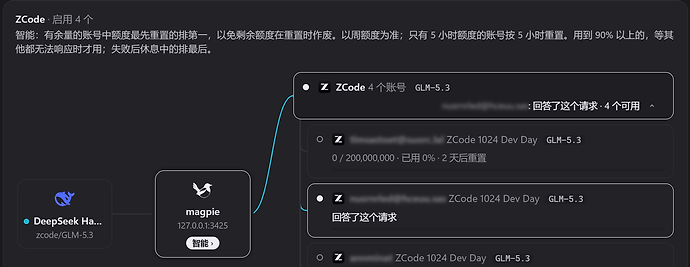
使用magpie内置插件报错
ZCode: 405 Method Not Allowed — ZCode’s Start Plan still turned this request away, though magpie sends it as the ZCode app does; it can be a network block of this IP, or ZCode checking for something new. Use an account with a GLM Coding Plan, or add another provider to this group
仓库issue(ZCode provider returns 405 Method Not Allowed, while the same account works with zcode2api · Issue #425 · yetone/magpie · GitHub)作者表示:“感谢反馈和对比测试!我们查过了:magpie 请求 ZCode 体验套餐用的地址、方法和协议(POST zcode.z.ai/api/v1/zcode-plan/anthropic/v1/messages)跟 zcode2api 完全一样。zcode2api 能用,是因为它在每个请求里注入了 ZCode 官方客户端的系统提示词,还模仿了客户端的请求头。ZCode 服务端会检查请求内容,没有这部分就返回 405(“request has been blocked due to unusual activity”)。
magpie 的原则是不改写你的提示词、也不冒充官方客户端,所以体验套餐这条路暂时没法用同样的方式支持,抱歉。之前的提示只说是网络防火墙拦截,容易误导。v0.1.590 起会说明这是 ZCode 体验套餐只接受官方客户端的请求(也可能是网络拦截),并建议改用 GLM Coding Plan 账号,或在分组里再加一个供应商,应用内自动更新即可。GLM Coding Plan 的请求不受这个限制。”
还有别的办法了吗佬们,最好能在magpie里用的
主楼 - Master22天前
我看能不能让dsh修一下 ^-^
- TYLOO2天前
等你了佬佬,我这有仨号发挥不出作用
- HUME2天前
已收藏帖子,等方法,不过我听说智谱会封号的
- Xuyufenfei2天前
是因为检测你 agent 自带的系统提示词,你下个 那个重写请求的中间件插件,然后把 system 参数删掉就行
- 果丹皮2天前
只能说怕别用,用别怕,大不了再建个号
- Gehina2天前
改了吗,之前的臭鸡蛋magpie反代都可以直接用的
- Zoidberg.Pi2天前
我用zcode最新版都给我返回 request has been blocked due to unusual activity 无语
- Juzzice2天前
- alhz2天前
还没有修改吧 版本没有通过检查
- Juzzice2天前
- Master22天前
作者真快啊。 ^-^
- Kobe_Bryant2天前
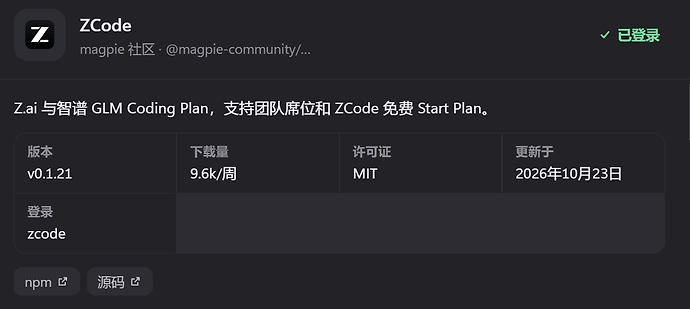
这是怎么更新的,为什么我的还是0.1.20
- Master22天前
插件里面检测更新
- AkaChou2天前
插件——》已安装——》检查更新
- Kobe_Bryant2天前